Connect your tools
Send what the assistant sees to the tools you already use. Nothing leaves until you connect a destination and choose its events.
Help center
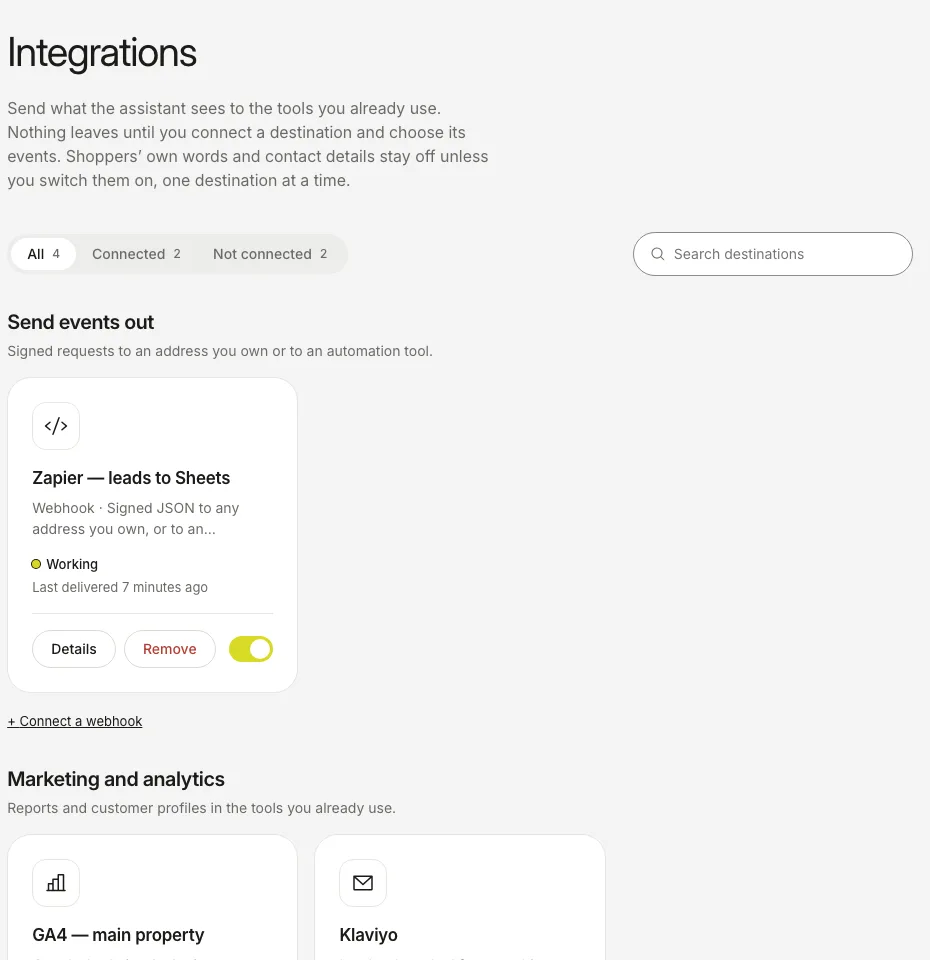
The screenshots show the real dashboard with sample data from a demo shop, not a live one.
| Destination | What you get | What you need |
|---|---|---|
| Webhook | Signed JSON to an address you own, or to Zapier, Make, n8n or Segment | The address that receives it |
| Google Analytics 4 | Assistant questions, picks, carts and attributed orders in your GA4 reports | The Measurement Protocol details of your GA4 property |
| Klaviyo | Leads who asked for something you lack become Klaviyo profiles, with a consent record | A Klaviyo API key |
| Slack | A short message in a channel when a lead leaves a contact, a shopper finds nothing, or an order is credited to the assistant | An incoming webhook address from Slack |
- Open Integrations and pick a destination.
- Fill in what it asks for and tick the events you want. Each destination gets only the events you tick.
- Shoppers’ own words and contact details stay off until you switch them on, one destination at a time.
- Open the destination’s details, send a test and check that it arrived.
- Watch the status word on the card: Working, Retrying or Not responding.
Delivery runs in the background and never slows an answer down. Turning a destination off keeps its settings, so you can turn it back on.
Want the shoppers who found nothing sent to Slack? See Read “Not found”.
Still stuck?
Write to hello@onesite.agency. Send your shop address and what the Install tab says: it usually shows the cause.