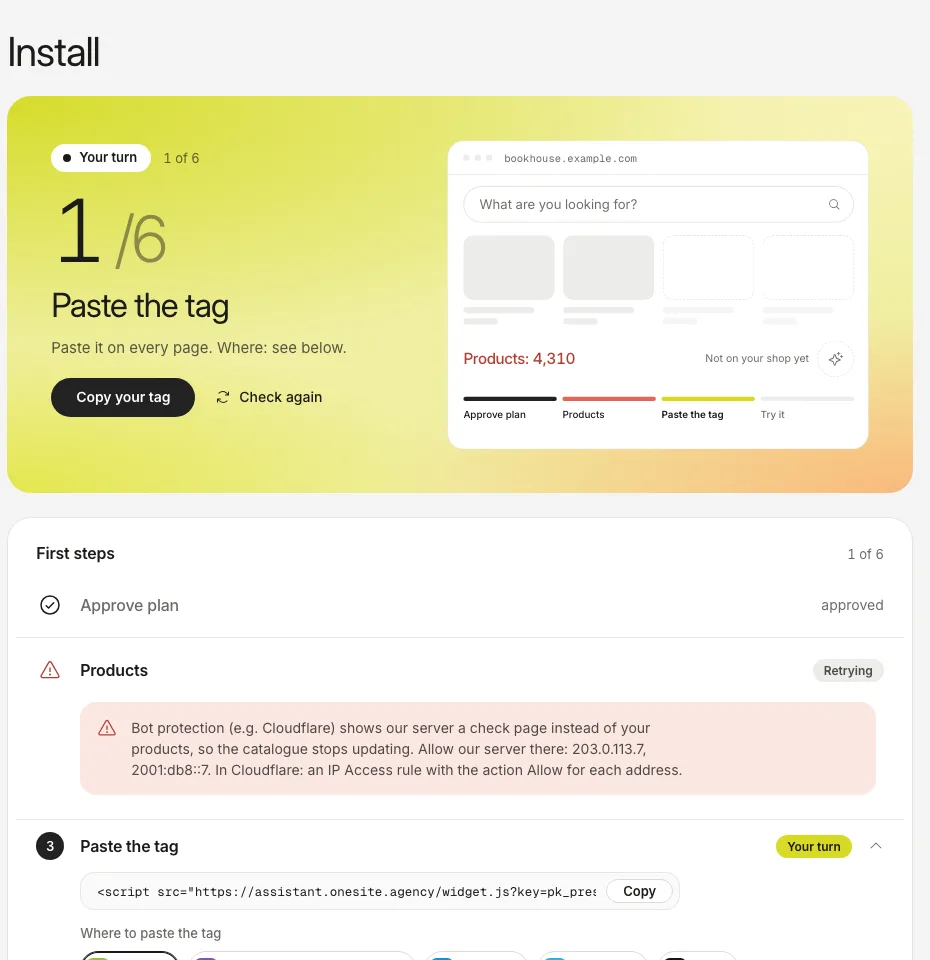
Some sites show a check page to every visitor that is not a browser. Our server then gets the check instead of your products, and the catalogue stops updating. The fix is one rule on your side.
Help centerThe screenshots show the real dashboard with sample data from a demo shop, not a live one.
Which case is yours
Install says
What it means
The fix
Bot protection (for example Cloudflare) shows our server a check page
A check meant for browsers: no header gets past it.
Allow our addresses (below).
Your site’s protection blocks us. Turn on the pass below.
Your own firewall refuses unknown servers.
Create a rule for the pass header (below).
What our server looks like
Value
IPv4 address
167.235.57.100
IPv6 address
2a01:4f8:1c1a:acb6::1
User-Agent contains
OneSiteAgency-AiShop
Optional pass header
X-OneSite-Pass
Allow both addresses. Our server reaches a site that has an IPv6 address over IPv6 first, so a rule for the IPv4 address alone does not match.
In Cloudflare
Open the site, then Security, WAF, Tools, IP Access Rules.
Add 167.235.57.100 with the action Allow, then add 2a01:4f8:1c1a:acb6::1 the same way.
Back in Install press Check again. The catalogue is retried by itself.
If you use a pass header instead
In Install, switch on the bot protection option next to your product source. It shows the header name and a value.
In your firewall, create a rule that lets through requests carrying that header with that value. In Cloudflare: a WAF custom rule with the action Skip.
Press Check again in Install.
Our server does not pretend to be a browser and never solves a check. A check you set up has to be opened by you, and that is why the rule comes from your side.