Install on Magento
Magento takes the one-line tag. Products are read from your store’s public GraphQL address, the same one your storefront uses.
Help center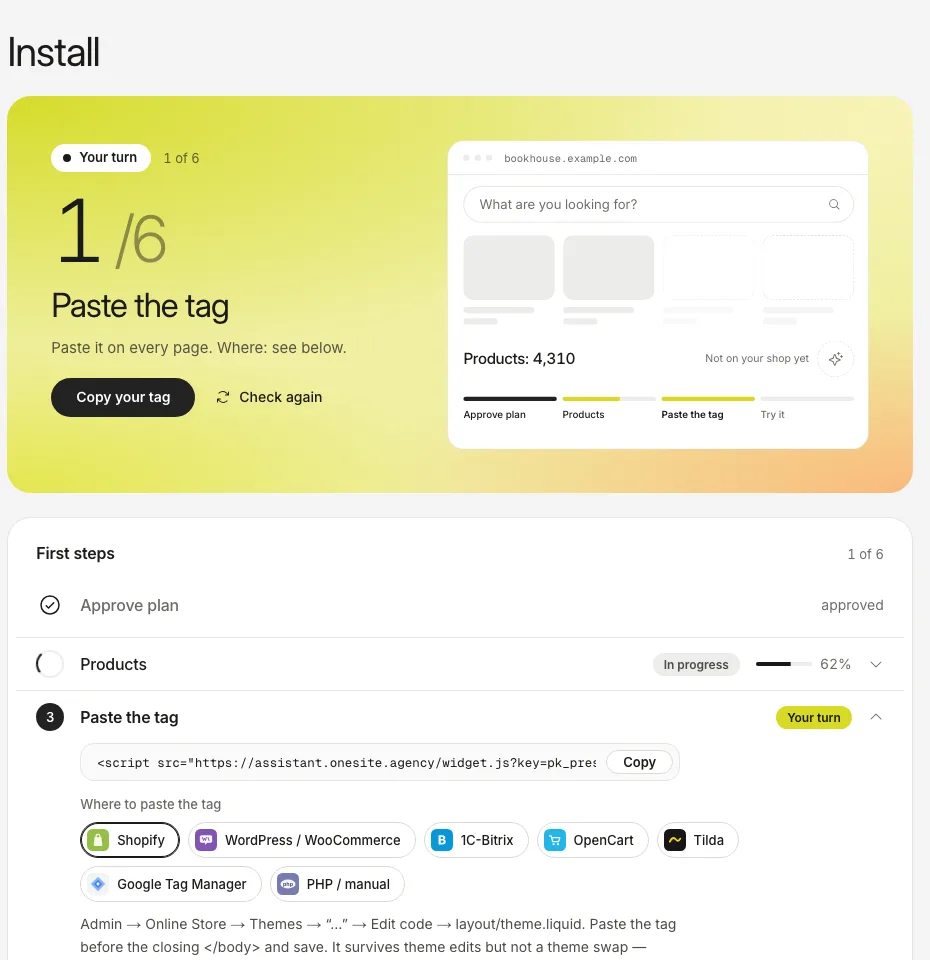
The screenshots show the real dashboard with sample data from a demo shop, not a live one.
- Create your account and approve the plan. Open Install and copy your tag.
- In the Magento admin open Content, Design, Configuration, edit your store view and open HTML Head.
- Paste the tag into Scripts and Style Sheets and save the configuration.
- Flush the cache: System, Cache Management, Flush Magento Cache.
- Open your shop. Back in Install press Check again: it shows the address the tag was loaded from.
| Good to know | What it means for you |
|---|---|
| Products, prices, stock and images are read | From the public GraphQL address of your store, with no key. |
| Adobe Commerce as a Cloud Service | It has no products query, so it cannot be read this way. |
| Custom attributes of your own | They are not read. The assistant works them out from the title and the description. |
| Add to cart | There is no add-to-cart button on Magento yet. The shopper goes to the product page. |
Products do not load? See The catalogue is not updating.
Still stuck?
Write to hello@onesite.agency. Send your shop address and what the Install tab says: it usually shows the cause.